



Cricut Maker T-Shirts: HTV and Infusible Ink Guide
 Published
 Updated
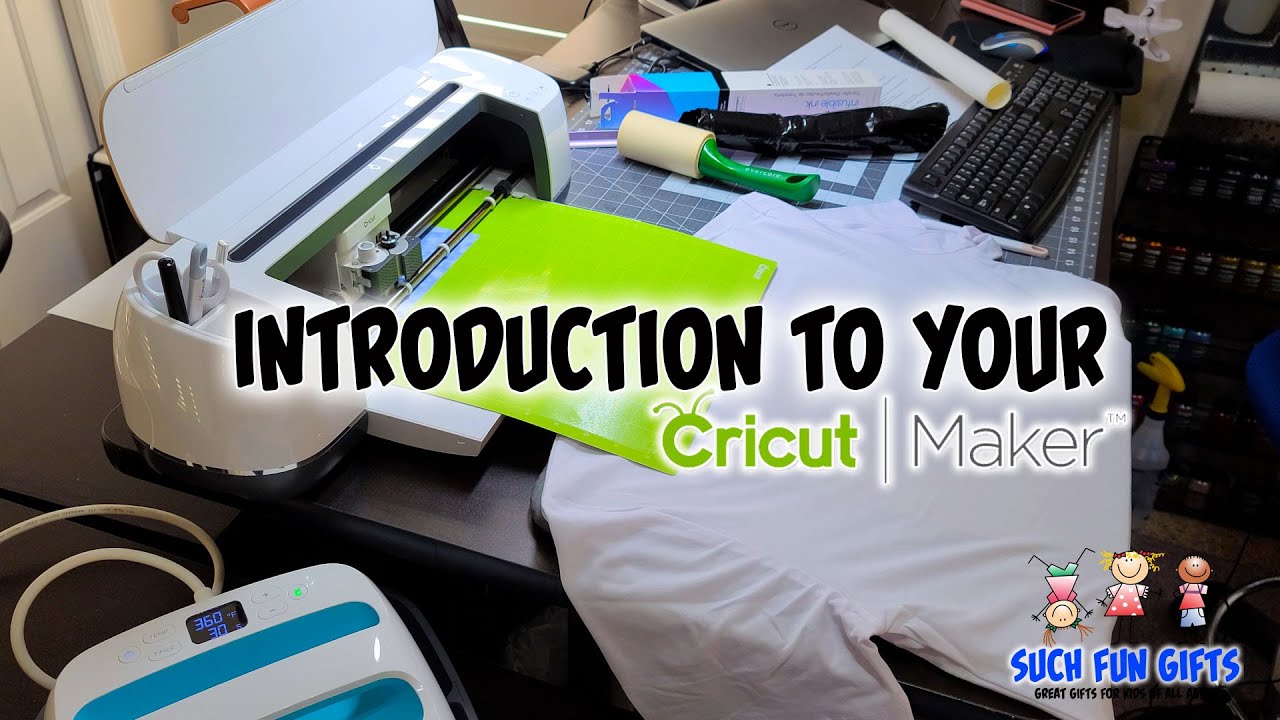
Cricut Maker t-shirts come together by cutting your design from heat transfer vinyl or Infusible Ink, then pressing it onto fabric with a heat source. The Maker handles intricate cuts other machines struggle with, so you get crisp shirt graphics, layered designs, and durable results that survive repeated washing.
If you own a Cricut Maker and want to turn blank tees into something people actually wear, this guide stays focused on the Maker itself: what materials it cuts best, how heat transfer vinyl differs from Infusible Ink, and the exact steps to press a shirt that lasts. The Maker is a cutting machine, not a printer, so the magic happens when its rotary blade and Adaptive Tool System meet the right material. Get the pairing right and a plain blank becomes a shirt people compliment.
Why the Cricut Maker is built for shirt projects
The Maker stands apart from the Explore and Joy lines because of its Adaptive Tool System and the rotary blade, which apply more cutting force and swap tools for different materials. For Cricut Maker t-shirts, that force matters most when you cut fine lettering, small detail, or thicker specialty vinyl. The fine-point blade still does the heavy lifting for standard HTV, but the machine’s pressure range means weeding stays clean and tiny pieces stay intact.
You design everything in Cricut Design Space, the free software that drives every Cricut machine. Upload your own artwork, pull in a ready-made file, size it to the shirt, then mirror and cut. Because the Maker reads SVG files cleanly, starting with a well-built design saves you from messy cut lines later. You can browse ready-to-press options in the SVG DROP cut files library and load them straight into Design Space.
There is one more advantage worth naming. The Maker can also cut the fabric for sewn projects with its rotary blade, so the same machine that decorates a tee can cut quilt squares or appliqué. Most shirt makers will not need that often, but it tells you the Maker was engineered for material variety, which is exactly why it handles both flexible HTV and stiff Infusible Ink sheets without complaint.
HTV vs Infusible Ink: which should you use?
Heat transfer vinyl and Infusible Ink both work with the Cricut Maker, but they behave very differently. The short answer: choose HTV for layered color, quick projects, and most blank tees, and choose Infusible Ink when you want a print that feels like part of the shirt with no raised edge.
Heat transfer vinyl (HTV)
HTV is a thin sheet of colored vinyl with a heat-activated adhesive backing. You cut it on a mat, weed away the excess, then press it onto the shirt where the adhesive bonds to the fibers. It sits slightly on top of the fabric, which gives a soft raised texture you can feel. HTV is forgiving, comes in finishes like glitter, holographic, and flocked, and works on cotton, polyester, and blends. For most Cricut Maker t-shirts, this is the starting point. A full overview of how the material works lives at Wikipedia’s heat transfer vinyl entry.
HTV also forgives mistakes. If a corner lifts during pressing, you can re-press it. If you want bold multi-color art, you can stack colors layer by layer. That flexibility makes it the right pick for beginners and for anyone selling shirts in different colorways, since one design works across many blank colors.
Infusible Ink
Infusible Ink uses sublimation. Under high heat the ink turns to gas and bonds with the fabric at a molecular level, so the design becomes the shirt rather than a layer on it. The result has zero texture, will not crack or peel, and stays vivid wash after wash. The trade-off is strict: Infusible Ink needs blanks with a high polyester content, ideally Cricut’s own Infusible Ink-compatible tees, and it shows the original fabric color through the design. It also demands steady, even, high heat, which is why an EasyPress or heat press beats a household iron here.
Because sublimation is permanent, there is no margin for error. A shifted sheet or a fingerprint of moisture shows up forever. Plan your placement, work on a dry blank, and accept that Infusible Ink rewards patience with a finish HTV cannot match for longevity.
What materials and tools do you need?
Before you cut your first Cricut Maker t-shirt, gather the essentials so a press does not stall halfway. The list is short and reusable across dozens of projects.
- A Cricut Maker with the fine-point blade installed, plus the rotary blade for any fabric cutting.
- A StandardGrip (green) cutting mat for HTV and Infusible Ink sheets.
- HTV rolls or Infusible Ink sheets, depending on the method you chose.
- A blank shirt: cotton or blends for HTV, high-polyester or Cricut blanks for Infusible Ink.
- A Cricut EasyPress, EasyPress Mini, or heat press, plus a heat-resistant mat.
- A weeding tool, brayer or scraper, and butcher paper or a Teflon sheet for Infusible Ink.
A household iron can work for small HTV designs in a pinch, but it cannot hold the even temperature shirts need across a full graphic, and it falls short entirely for Infusible Ink. If you plan to make more than a handful of Cricut Maker t-shirts, a dedicated EasyPress pays for itself in consistency and saved blanks.
How do you make a t-shirt with a Cricut Maker?
You make a Cricut Maker t-shirt by designing in Design Space, mirroring the image, cutting it shiny-side-down, weeding the excess, and pressing it with the correct time and temperature for your material. Follow these steps in order.
- Build or upload your design. Open Design Space, size the artwork to fit the shirt, and keep text large enough to weed comfortably.
- Mirror the image. Toggle Mirror on for every mat before cutting, since both HTV and Infusible Ink are pressed face-down.
- Set the material. Choose the exact material in Design Space (for example, Everyday Iron-On or Infusible Ink) so the Maker applies the right pressure.
- Load and cut. Place the material shiny or liner-side down on the mat, load it, and cut.
- Weed the excess. Remove everything that is not part of the design. Infusible Ink looks faint before pressing, which is normal.
- Prep the shirt. Preheat the blank for a few seconds to remove moisture and wrinkles.
- Press. Position the design, cover it with butcher paper or a Teflon sheet, and apply heat at the setting Cricut’s Heat Guide recommends.
- Peel and cure. For HTV, peel the carrier warm or cool per the product. For Infusible Ink, let everything cool fully before lifting the sheet.
Always confirm temperature and time in the official Cricut Help Center, because settings vary by material, blank, and press model. Guessing the heat is the fastest way to ruin a shirt. The Cricut Heat Guide asks for your material and base, then returns an exact temperature, time, and peel method, which removes the guesswork that trips up most first attempts.
Can you use the Cricut Maker for cotton shirts?
Yes. The Cricut Maker works beautifully on cotton shirts when you use heat transfer vinyl, which bonds to natural fibers and blends without any special blank. Cotton is the easy path for everyday tees, kids’ shirts, and bulk orders. The one caveat is Infusible Ink: sublimation needs polyester to grab onto, so a 100 percent cotton shirt will not hold an Infusible Ink design well. For cotton, stay with HTV. For that vivid, no-texture sublimation look, reach for a high-polyester or Cricut-branded blank instead.
If you love the feel of cotton but want sublimation-style brightness, a cotton-poly blend with high polyester content is a reasonable middle ground for HTV, while true Infusible Ink results still belong on polyester-heavy blanks. Match the fiber to the method and the shirt holds up.
Tips for Cricut Maker t-shirts that last
A shirt that looks great fresh off the press but cracks after three washes is a common beginner outcome. A few habits keep your work durable. Press firmly and for the full recommended time rather than rushing. Wait 24 hours before the first wash, then turn shirts inside out and wash cold. Skip fabric softener and high-dryer heat, which break down adhesive over time. When you layer HTV colors, press each layer briefly and save the full press for the final layer so nothing scorches.
Placement is the other detail that separates a homemade look from a professional one. Center your design by folding the shirt in half lengthwise and lining the crease with the middle of your artwork. For an adult tee, set the top of a chest graphic roughly three fingers below the collar. Consistent placement across a batch makes a set of shirts look intentional rather than improvised.
Starting with clean, well-built cut files also removes a lot of friction. Files with proper layers and weld points cut faster and weed easier on the Maker. If you hit a question about formats or licensing, the FAQ covers the common ones.
Sizing and scaling your shirt designs
If you sell or gift Cricut Maker t-shirts in multiple sizes, resize the artwork per size rather than pressing one graphic on every blank. A youth tee needs a smaller chest graphic than an adult shirt, and a full-front design should leave breathing room from the seams. Design Space lets you save sized versions of the same project, so build your common sizes once and reuse them. This small habit keeps a batch of shirts looking consistent and proportioned, which is what buyers notice first when they see your work next to a mass-produced tee.
About SVG DROP: SVG DROP is a dedicated cut-file shop offering SVG and PNG designs built for Cricut, Silhouette, and other cutting machines. Every file is tested for clean cutting and layering, so crafters can move straight from download to press without fixing messy paths. Our team works with these machines daily and shares practical, hands-on guidance for real shirt projects.
Once your first Maker tee comes out crisp and bonded, the rest is repetition with new designs. Pick HTV or Infusible Ink to match the shirt, trust the official heat settings, and let the Maker’s cutting precision do what it was built for.
Frequently asked questions
Do I need to mirror designs for Cricut Maker t-shirts?
Yes. Both heat transfer vinyl and Infusible Ink are pressed face-down, so you must turn on Mirror in Design Space for every mat before cutting. Skipping this step gives you a backwards design.
Is Infusible Ink better than HTV for shirts?
Neither is strictly better. Infusible Ink gives a permanent, no-texture finish but requires polyester blanks, while HTV works on cotton and blends, layers easily, and suits most everyday projects. Match the method to your shirt and the look you want.
What blank shirts work best with the Cricut Maker?
For HTV, cotton, polyester, and cotton-poly blends all work. For Infusible Ink, choose blanks with high polyester content or Cricut’s own Infusible Ink-compatible shirts, since sublimation needs polyester fibers to bond properly.